Platform guides· Thomas Cuccittini 5 min read
How to Copy a Listing Between Stores: Etsy, eBay, Shopify and WooCommerce
How to copy a listing from one store to another: what carries over, what each platform needs from you, the manual routes, and how Cashowa makes the copy as a draft you approve.
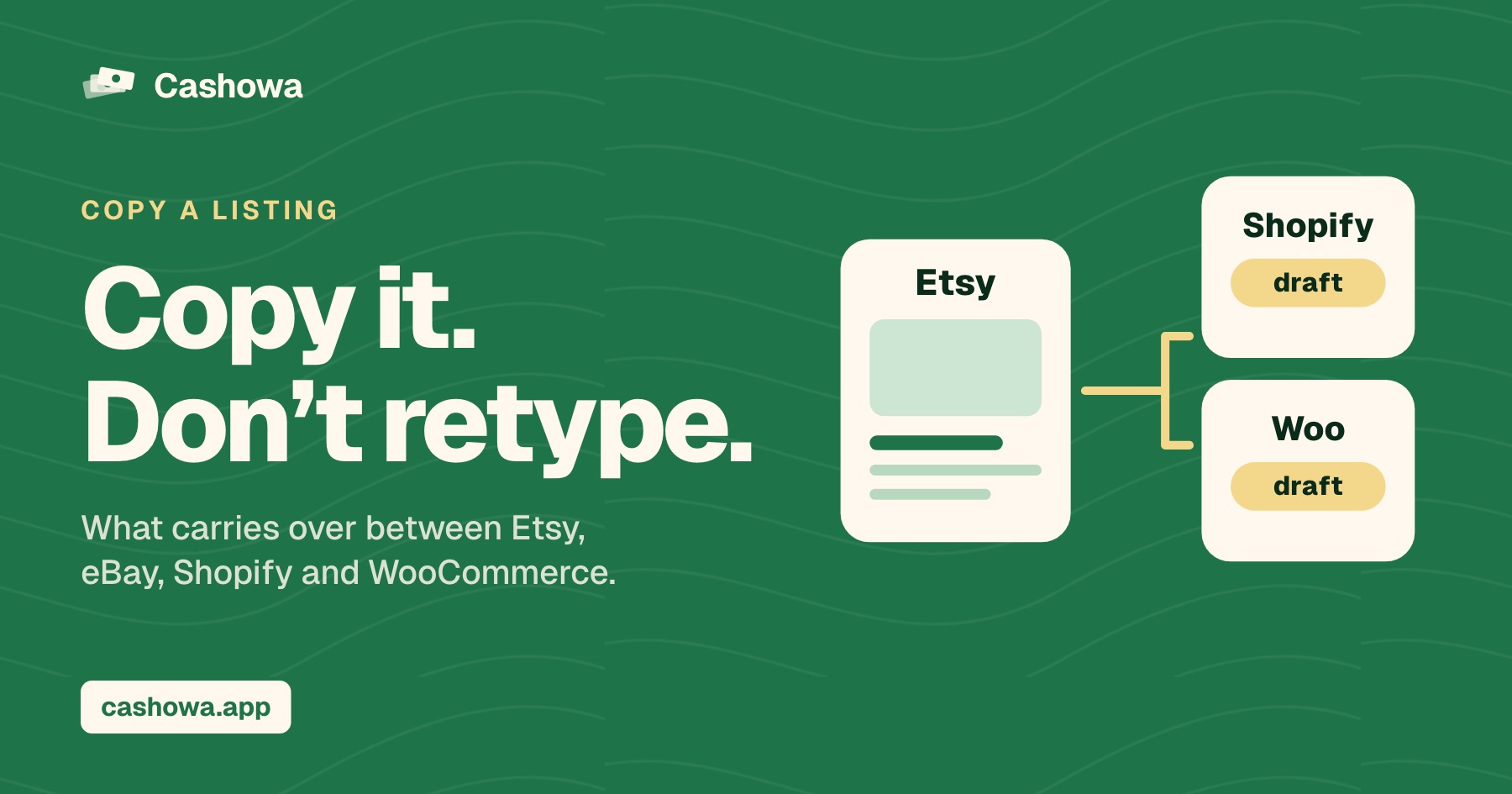
To copy a listing from one store to another, you carry over the words, the photos, the price and the quantity, and then fill in what only the new platform asks for. Done by hand, it is retyping and re-uploading, once for each store. This guide sets out what carries over and what does not, the manual routes each platform offers, the stock question that comes with selling the same item in two places, and how Cashowa makes the copy for you as a draft you read and approve.
Copy a listing to another store
What Cashowa can doWhat carries over, and what does not
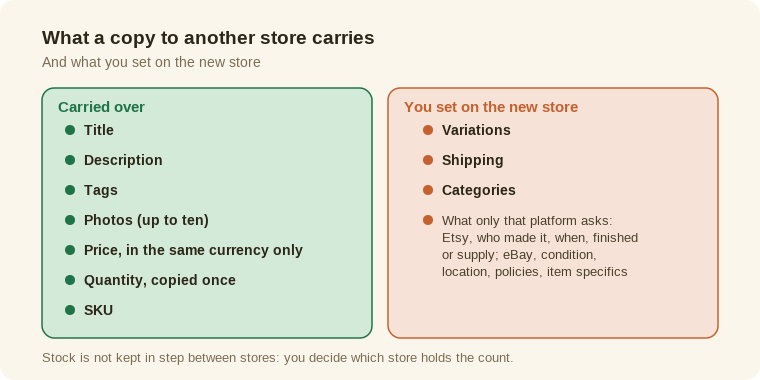
What every platform has in common carries over: the title, the description, the tags, the photos, the price, the quantity and the SKU. What the platforms do not agree on does not:
- Variations. Sizes and colors are built differently on each platform.
- Shipping. Etsy uses shipping profiles, eBay uses business policies, Shopify and WooCommerce have their own settings.
- Categories. Each platform has its own list.
- Fields only that platform asks for. On Etsy, who made the item, when it was made, whether it is finished or a supply. On eBay, the condition, where the item is, the payment, shipping and return policies, and the item specifics the category requires.
Three limits also change a copy. A title has to fit the new platform: 140 characters on Etsy, 80 on eBay. A price carries over only if both stores sell in the same currency, because converting changes it, and a price in dollars is not the same number in pounds. And tags differ: Etsy takes 13 of up to 20 characters each, and other stores take other shapes.
The manual routes
| Platform | What its pages offer |
|---|---|
| Etsy | No bulk upload of new listings. Copy and duplicate make a new listing from an existing one in your own shop, and a bulk edit tool changes existing listings |
| eBay | The Bulk Listing Tool manages up to 2,000 listings and includes Sell Similar. Seller Hub Reports takes CSV files |
| Shopify | CSV import: the file must be under 15 MB, in UTF-8, with case-sensitive headers. A CSV export leaves the images out |
| WooCommerce | A CSV importer that takes images as URLs and cannot set alt text |
These are the routes the platforms describe on Etsy's page on multiple listings, eBay's page on bulk listings and Shopify's and WooCommerce's CSV pages. A CSV route suits many listings of the same kind, and it asks you to build a file whose columns match the platform's. Our guide to bulk editing listings covers the editing side, and one listing, four platforms covers the idea.
The stock question
If the same item sells in two places, a sale in one must reduce the count in the other, and no copy does that by itself. Decide which store holds the count, and update the other when it sells. Our guide to avoiding overselling shows how.
How to copy a listing: check it before you publish
- Read the title. If it was cut to fit, put back what matters most.
- Check the photos are in the order you want and none is missing.
- Check the price and the currency.
- Fill in what only the platform asks for. On Etsy, the fields above; on eBay, the category, the condition and the policies.
- Look at the live result once it is made, and note where it is.
Where Cashowa fits
Cashowa's New listings has a "copy to another store" route. Choose a listing on one of your connected stores and a store to copy it to, and Cashowa reads the listing as it is now and builds a copy: the title, description, tags, photos (up to ten, copied into private storage and not linked to the original), SKU, quantity once and, only when both stores sell in the same currency, the price. It says on the card what it did not carry over (variations, shipping and categories) and what you still need to give the new platform, and if a title was cut to fit, it says what was cut. A listing already copied to a store is not copied twice.
On Shopify, WooCommerce and Etsy the copy is made as a draft, and you approve it. On eBay there is no draft an app can make, so approving lists the item, and the card shows eBay's fee first, with a "Check with eBay" step that shows eBay's own errors and fees without listing anything. The quantity is copied once: you decide which store holds the stock count. How Cashowa works for sellers says what it reads and keeps.
Frequently asked questions
Can I copy an Etsy listing to Shopify?
Yes. The title, description, tags, photos, SKU and quantity carry over, and the price does when both stores sell in the same currency. Variations, shipping and categories are set on Shopify, and the copy is made as a draft.
Are the photos copied or linked?
Cashowa copies them into private storage and uses the copies, so the new listing does not depend on the original store's address for its photos.
Is the price converted?
No. A price carries over only when both stores sell in the same currency. Otherwise the card says so and you set the price yourself.
Does stock stay in step between my stores?
No. The quantity is copied once, so update the other store when one sells, or decide which store holds the count.
The term 'Etsy' is a trademark of Etsy, Inc. This Application uses Etsy's API, but is not endorsed or certified by Etsy. eBay, Shopify and WooCommerce are trademarks of their respective owners. Cashowa is independent and is not endorsed or certified by any of them.