Store health· Jane Wilson 5 min read
How to Avoid Overselling When You Sell the Same Item in Several Places
Why overselling happens, what each platform's stock settings do, one master count, a safety buffer, and what to do when a sale you cannot fill gets through.
To avoid overselling, keep one count of what you hold, list less than the count in each place, and use the stock settings each platform gives you. Overselling is selling an item you no longer have: two buyers in two stores order the last mug within minutes, and one of them cannot be served. It happens most often to sellers who list the same item in more than one place, and it costs more than the sale, because cancelling an order has consequences on some platforms. This guide covers why it happens, what the platforms' settings do, a routine that prevents most of it, and what to do if one gets through.
See what is holding your listings back
How Cashowa works for sellersWhy it happens
- The same stock is listed twice. Each store keeps its own number, and nothing subtracts a sale in one from the other.
- Orders are not instant. A sale in one store is a gap of minutes or hours before you update the other.
- Unpaid orders hold stock. An order waiting for payment can hold an item that another buyer then cannot get, or release it late.
- Variations hide the count. An item with sizes and colors has a number for each, and a renewal can reset them.
- A one-off item looks like many. A single piece listed in several places is already oversold when one sells.
What each platform's settings do
| Platform | Stock settings worth knowing |
|---|---|
| Etsy | A listing has a quantity per listing or per variation. When you renew a sold listing that has variations, each option's quantity is set to 1, so check it after you renew |
| eBay | An out-of-stock setting in your selling preferences keeps a fixed-price listing active but hidden from search at zero. eBay's order cancellation policy says cancelling an order because the item is out of stock counts as a transaction defect |
| Shopify | With Track quantity on, a product at zero cannot be added to the cart. A separate setting, Continue selling when out of stock, lets orders through, and it is off by default |
| WooCommerce | Manage stock counts inventory. Hold Stock (minutes) sets how long an unpaid order holds stock before it is cancelled and released. Allow back orders? has three choices: do not allow, allow but notify the customer, or allow |
The detail is in the platforms' own pages: Etsy's page on renewing and hiding listings, eBay's order cancellation policy, Shopify's page on selling when out of stock and WooCommerce's products settings. Our guide to out-of-stock listings goes through each.
A routine to avoid overselling
- Pick one store to hold the count. Whichever you check first. Everything else follows it.
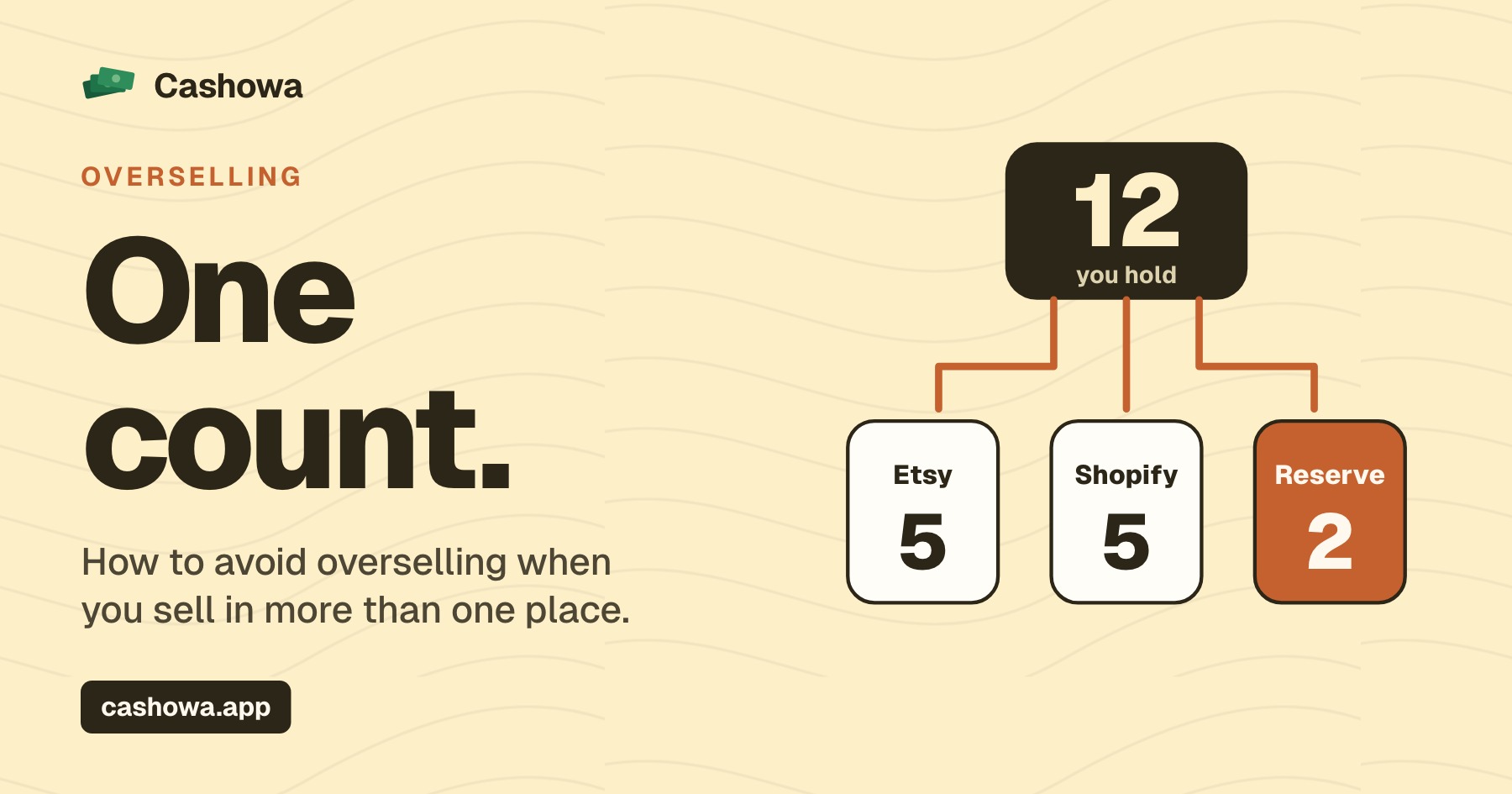
- List less than you hold. If you hold 12 and sell in two places, list 5 in each and keep 2 in reserve. The reserve absorbs the gap between a sale and your update.
- Update when a sale happens. Not at the end of the day. A reminder on your phone for each sale is enough for a small shop.
- Keep one-offs in one place. A piece you have only one of belongs on one platform.
- Turn on the settings that stop a sale at zero. On Shopify, leave Continue selling off. On eBay, use the out-of-stock setting. On WooCommerce, turn on stock management.
- Check after renewals and edits. On Etsy, look at variation quantities after renewing a sold listing.
A small example
An invented shop holds 12 speckled mugs and sells on Etsy and on its own Shopify store. It lists 5 in each and keeps 2. When one sells on Etsy, it updates Shopify to 4 and keeps the reserve at 2. A buyer on each store ordering the last item in the same hour is covered by the reserve, and the shop notices it is down to the reserve and decides to make more.
If it happens anyway
- Tell the buyer at once. A short, plain message the same day.
- Offer a choice. A similar item, a wait for the next batch, or a refund.
- Cancel with the accurate reason. On eBay, an out-of-stock cancellation counts as a transaction defect, and eBay's policy says to choose the accurate reason.
- Fix the count in every store, and ask what let it through.
Where Cashowa fits
Cashowa does not change stock, end a listing or keep stock in step between stores. When it copies a listing it carries the quantity once and says so on the card: you decide which store holds the stock count. Its store health check lists every active listing that is out of stock but still live, so a sold-out item does not sit in your shop; hiding it or restocking it is yours to do, on the platform's own setting. Our guide to copying a listing between stores covers the copy, and how Cashowa works for sellers says what it reads and keeps.
Frequently asked questions
What is overselling?
Selling an item you no longer have, most often because the same stock is listed in more than one place and a sale in one place was not taken off the other.
How do I stop overselling on eBay?
Use the out-of-stock setting in your selling preferences, which keeps a fixed-price listing active but hidden from search at zero, and keep your quantities accurate. eBay's order cancellation policy says cancelling an order because the item is out of stock counts as a transaction defect.
Does Shopify let customers buy out-of-stock products?
Not by default. With Track quantity on, a product at zero cannot be added to the cart, unless you turn on Continue selling when out of stock, which suits pre-orders and items you can restock quickly.
How much stock should I list in each store?
Less than you hold. A common approach is to list part of the count in each store and keep a reserve, so a sale you have not yet updated cannot take you below zero.
The term 'Etsy' is a trademark of Etsy, Inc. This Application uses Etsy's API, but is not endorsed or certified by Etsy. eBay, Shopify and WooCommerce are trademarks of their respective owners. Cashowa is independent and is not endorsed or certified by any of them.