Store health· Jane Wilson 9 min read
Did Your Listing Change Work? How to Compare Sales Before and After
A fair way to tell whether a listing change worked: the same days before and after, the rest of your shop as the yardstick, and the cases where no answer is possible.
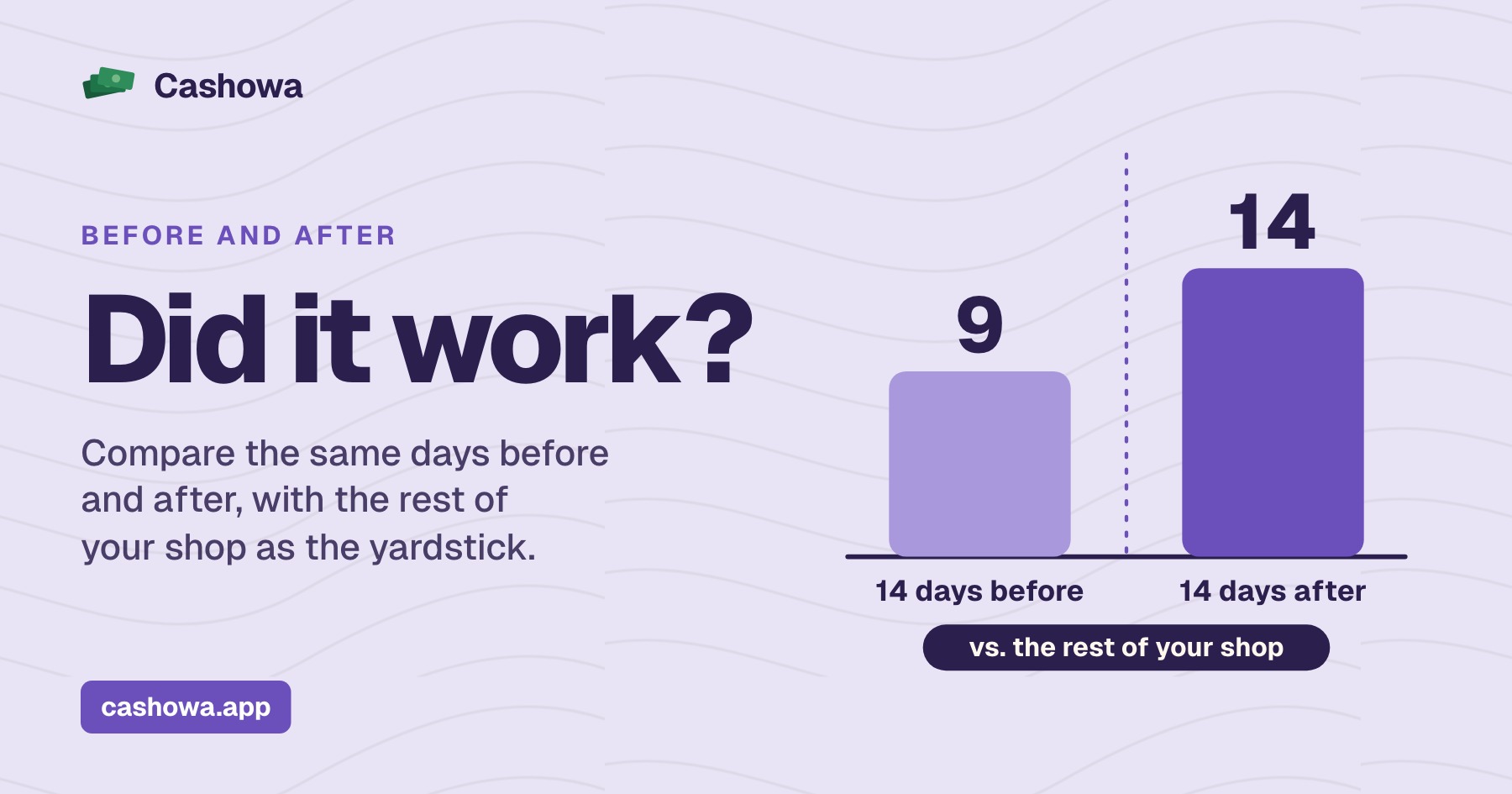
Did your listing change work? The fair way to find out is to count one product's sales over the same number of days before and after the change, leave the day of the change out, and do the same sums for the rest of your shop. If the product moved and the rest of the shop did not, the change may be the reason. If everything moved together, it probably is not. This guide gives the method step by step, an invented example worked through, and the situations where no answer is possible.
See what happened after every change you approve
See Did it work? in CashowaDid your listing change work? Start with one change and one date
A before-and-after comparison needs one change and one date. Write down the day you changed the title, the tags, the first photo or the description, and what exactly changed. If you changed the title and the price on the same day, the sales that follow belong to both, and nothing afterward can separate them. Make one change per listing at a time.
Count items sold, not visits. Etsy's Shop Stats glossary, read on November 16, 2026, defines conversion rate as the percentage of visits to your shop that resulted in an order, and says it can be affected by many things: photo quality, price, reviews, how titles and descriptions are written, and shipping and return policies. It also defines orders as completed purchases, not the number of items sold. Those numbers help you work out why sales moved, whether more people came or more of them bought. The question "did this change sell more of this product?" is answered by the order lines themselves, and you can download those.
The before-and-after method, step by step
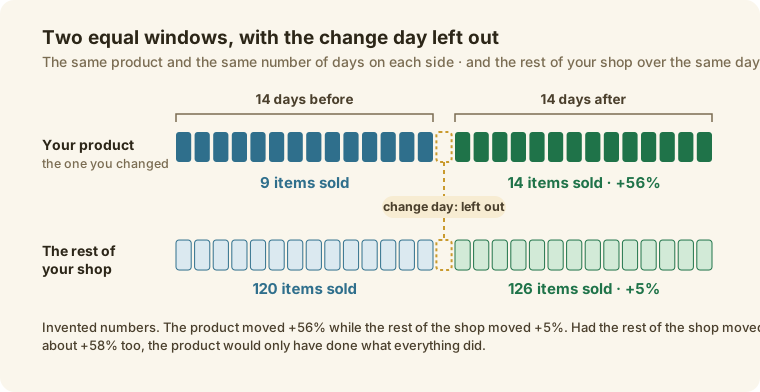
- Pick the window. Fourteen days on each side is a sensible start: long enough for a few sales, short enough that the season has not turned. A product that sells once a week needs longer windows, four weeks or more, because the sums below need enough sales to mean anything.
- Leave the change day out. On that day the listing was in both states.
- Count the items sold in each window for that product, and the money they brought in. Use the order lines, not page views.
- Work out the change: the sales after, minus the sales before, divided by the sales before. Nine sold before and fourteen after is +56%.
- Do the same for the rest of your shop over the same two windows. This is your yardstick. It holds everything that moved the whole shop at once: a holiday, a promotion, a post that took off.
- Compare the two. If your product moved a lot and the rest of the shop barely moved, the change is a candidate. If both moved about the same, the change is not the story.
- Say the result in words: sales went up, sales went down, no clear change, moved with the rest of the shop, or too few sales to say.
One practical point: an order file prints the product's name as it was on the day of the sale. If you changed the title, the "before" sales carry the old title and the "after" sales carry the new one. Filter by SKU, or search for both titles, so that every sale of the product is counted.
A worked example
Here are four situations for an invented mug, with the rule applied the way Cashowa applies it: a move of 15% or more counts as a change; when the product and the rest of the shop both moved that much the same way, a product within 10 percentage points of the shop moved with it; and fewer than six items sold across both windows is too few to read.
| Case | The mug, before → after | The rest of the shop, before → after | What the rule says |
|---|---|---|---|
| 1 | 9 → 14 (+56%) | 120 → 126 (+5%) | Sales went up |
| 2 | 9 → 14 (+56%) | 120 → 190 (+58%) | Moved with the rest of the shop |
| 3 | 9 → 12 (+33%) | 120 → 190 (+58%) | Went up, but less than the rest of the shop |
| 4 | 2 → 3 (+50%) | 120 → 126 (+5%) | Too few sales to say |
The mug's own numbers are the same in the first two rows: nine sold, then fourteen. What differs is the rest of the shop. In case 1 the shop barely moved, so the mug's rise stands out. In case 2 the whole shop rose by about the same amount, so the mug rose with everything else and the title change cannot be credited. In case 3 the mug rose, but the shop rose by more. Case 4 shows why small counts need a longer window: an increase of 50% is a single order.
When no answer is possible
- Too few sales. Cashowa reads a result only when at least six items were sold across both windows. With fewer, a jump or a drop is within what chance produces. Use a longer window.
- Another change in the same weeks. A new price, a new first photo, a sale, an ad you started or stopped. Etsy's help page on Shop Stats says a drop in visits or sales can have many causes, such as competition, changing trends or shifts in buying behavior, and the same is true of a rise.
- The season. A holiday in the after window lifts the whole shop. Checking the rest of the shop catches most of that.
- The after window is not over. Fourteen days means fourteen full days.
- The sales file does not cover the weeks. It has to reach back before the change and forward past the end of the second window.
- Two listings share a title. Their sales cannot be told apart.
Where to get your sales numbers
Etsy's help page on downloading your data gives the route to the orders file: Shop Manager, Settings, Options, then the Download Data tab and Orders. Etsy's Stats page shows visits, orders, average order value, conversion rate and revenue, and for a shop that has been open more than a year it has a switch to compare with the previous period.
On eBay, Seller Hub Reports takes you from Reports to Download and Download report, where you choose Orders as the source and a date range of 1 to 90 days. The Performance tab in Seller Hub shows sales and traffic, with a download of listing sales for individual listings.
Shopify's help page on exporting orders starts at Orders and Export. Up to 50 orders, or the current page, download to your device, while a date range or a larger selection is emailed to you. Extra items in an order appear on separate rows, which is what you want here.
WooCommerce's article on importing and exporting products and orders describes a basic orders download in Analytics and says that Analytics does not export complete order information. For fuller order data it points to export plugins.
Where Cashowa fits
Every change Cashowa applies to a listing appears on its Did it work? page. Fourteen days after the change it compares your sales of that product for the 14 days before and the 14 days after, from the CSV of orders you upload on the Products and orders page. It shows the items sold and the sales for both windows, next to the rest of your sales over the same weeks, and it labels the result in plain words: Sales went up, Sales went down, No clear change, Moved with the rest of your store, Went up but less than the rest of your store, or Too few sales to say. A move of 15% counts as a change, and it reads a result only when six or more items sold across both windows.
It also tells you when the answer is not ready or the file cannot give one: Ready in a number of days, Needs your sales, Your upload doesn't reach these weeks, Couldn't find it in your sales, or Shares a title with another listing. It matches a listing to its sales by SKU and by the titles the listing has had through Cashowa's changes, so a title change does not hide the earlier sales, and it says when you made other changes to the same listing in those weeks. It shows what happened and never says the change caused it, because sales also move with the season, an ad or a post that took off. It uses only the sales you upload, so a newer upload gives a newer answer. What Cashowa can do shows the screen. For the checks to run on a listing before you change it, see what to check on every product, and for what to look at before you approve an AI-written change, see how to check an AI-written listing.
Frequently asked questions
How long should I wait before judging a listing change?
Fourteen days is a reasonable minimum for a product that sells most days. Cashowa compares the 14 days after a change with the 14 days before it, and shows how many days are left until the second window is over. A product that sells a few times a month needs a longer window, because six sales or fewer cannot show anything.
Can I compare with the same weeks last year instead?
Etsy's Stats page offers a comparison with the previous period for shops that have been open more than a year, and it helps with the season. Last year's listing, prices and competition were different, though, so treat it as a second opinion next to the before-and-after of one product, not a replacement for it.
What if my sales went up but so did everyone's?
Then the change cannot be credited. When the product and the rest of the shop moved the same way by about the same amount, the rise belongs to whatever moved the whole shop. Cashowa labels that case as moved with the rest of your store.
Does a higher conversion rate show the change worked?
Not on its own. Etsy's glossary lists photo quality, price, reviews, titles, descriptions and shipping and return policies among the things that affect it. A rise after a change is a clue to check against the orders, and it is not proof.
Can I make several changes at once and still measure them?
You can measure the set, not each part. If you must change a title, a photo and a price together, treat the result as the result of the three, and make one change at a time on the next listing so you can tell them apart. How to bulk edit listings shows a way to do that safely.
The term 'Etsy' is a trademark of Etsy, Inc. This Application uses Etsy's API, but is not endorsed or certified by Etsy. eBay, Shopify and WooCommerce are trademarks of their respective owners. Cashowa is independent and is not endorsed or certified by any of them.