Listings & SEO· Jane Wilson 7 min read
White Background Product Photos: How to Shoot or Make Them, and What Each Marketplace Says
How to shoot white background product photos with a phone, how to make one from a photo you already have, and what eBay, Etsy and Shopify say about backgrounds and sizes.
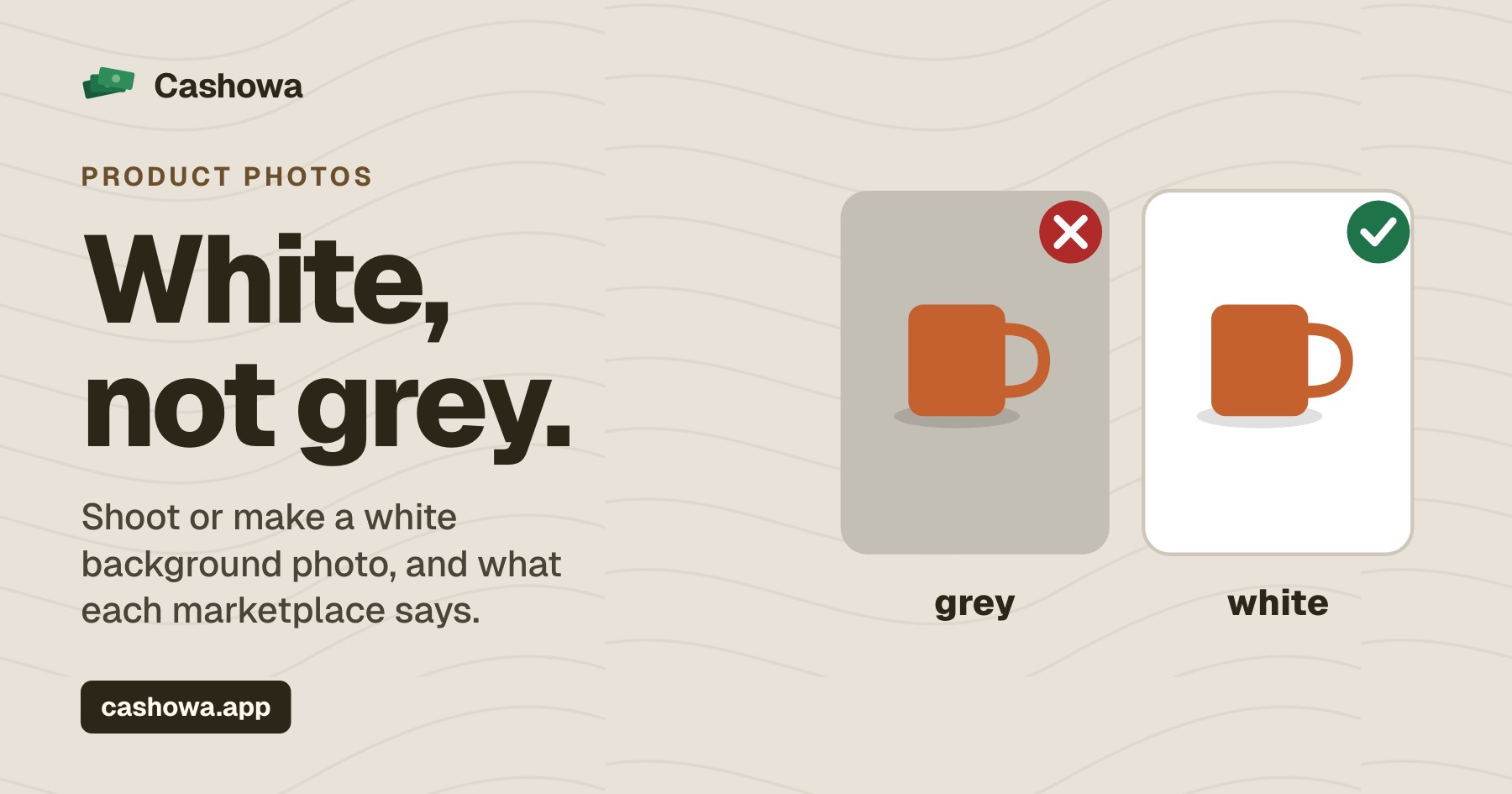
White background product photos show the item alone on plain white, with nothing to compete with it. They are the easiest kind of product photo to compare side by side, and they are what eBay's help page calls generally best for a main picture. This guide covers how to shoot one with a phone and a sheet of paper, how to make one from a photo you already have, and what eBay, Etsy and Shopify say about backgrounds, sizes and edits. It also covers the one rule that trips up sellers who edit every photo: Etsy asks for at least one unedited photo.
Put your product on a plain background
What Cashowa can doWhat each marketplace says about backgrounds
| Marketplace | What its pages say |
|---|---|
| eBay | Use an uncluttered space and a neutral backdrop, white generally best, and a darker one may suit shiny items such as jewelry. No added borders, text, artwork, promotional material or watermarks. Up to 24 pictures, at least 500 x 500 pixels, about 1600 x 1600 recommended |
| Etsy | At least one unedited photo of the actual item against a real background, and a light box or white backdrop counts. Photos at least 2000 pixels on each side are recommended |
| Shopify | No background rule on the pages we read. A 2048 x 2048 pixel square usually displays best, and a consistent aspect ratio keeps collection pages tidy |
eBay's help page on adding pictures and its picture policy are the source for the eBay row. Etsy's page on how its image requirements apply and its page on image requirements and best practices are the source for the Etsy row, and Shopify's help pages on product media types for the Shopify one.
How to shoot white background product photos with a phone
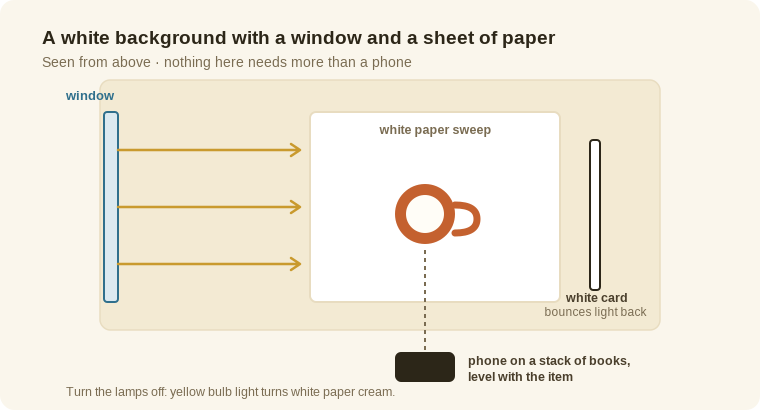
You need a window, a sheet of white paper and something to hold the phone steady.
- Make a sweep. Tape a large sheet of white paper to a wall and let it curve down onto the table, so there is no line where wall meets table.
- Put the table beside a window. Daylight from the side is soft and even. Turn off the lamps in the room, because yellow bulb light turns white paper cream.
- Add a white card opposite the window. A sheet of white card or foam board on the shadow side bounces light back and softens the shadow.
- Steady the phone. Rest it on a stack of books or a small tripod at the height of the item, so every photo is level and the shape does not lean.
- Wipe the lens, tap the item to focus, and lower the exposure a little. Phones tend to overexpose against white, and a blown-out edge loses the outline of a pale item.
- Shoot straight on, then from above. Keep the same setup for every product, so your listings look like they belong together.
How to make one from a photo you already have
If the photo exists and the background is the problem, you have three options:
- Re-shoot it. Often the quickest, and the only option if the item is shiny and the old photo has reflections of the room in it.
- Edit the photo. Brighten it until the background is white, and crop it to a consistent shape. If the background is cluttered, the item has to be cut out first and placed on white.
- Use a tool that cuts the item out. Any such tool leaves the item's own pixels in place, and the result should be checked at full size for stray edges and a missing shadow.
Whichever you choose, check that the item's color has not shifted. A white background that makes the product look a shade darker or yellower gives a buyer the wrong idea of what arrives, and Etsy's announcement says every photo must accurately represent what a buyer will receive.
Keep an unedited original for Etsy
Etsy's page says most listings need at least one unedited photo of the real item against a real background. You may crop it, resize it, add a watermark or change its file format, and Etsy asks you not to use AI-powered tools even for those changes, or its systems may flag the photo as AI-edited. The unedited photo does not have to be the first one. Other photos can be edited, including with AI, for lighting, color, cropping or backgrounds, if the item does not look different from what buyers receive and no flaw is hidden. Etsy says it plans to begin proactively enforcing these requirements in early 2027, with advance notice.
So keep the original file of every product photo, and edit a copy.
A checklist before you upload
- The item fills most of the frame, with a little white around it.
- The background is white, not grey, and the edges are clean.
- The color matches the item in your hand.
- There is no text, border or watermark on the picture (eBay does not allow them).
- The file is at least the size the marketplace asks for: 2000 pixels on each side for Etsy, about 1600 for eBay and 2048 for a Shopify square.
- The original is saved separately.
- Each photo has alt text, as our guide to alt text for product photos explains.
Our guide to product photography with your phone lists the other shots a buyer needs, and the next one in this series, plain or lifestyle product photos, says which should come first.
Where Cashowa fits
Cashowa's Photos page (part of Growth and Scale, and not of a free trial or Starter) takes a photo you upload, cuts the product out and puts it on a plain color of your choice: white, light grey or cream, or keeps the background. It can place the product in a square frame, padded and never cropped, add a soft shadow and brighten and balance the light, and then you download the result. The product's own pixels are kept, nothing is redrawn, and nothing is changed in any store. The page tells you what was done to the photo and, for Etsy, reminds you to keep an unedited photo. Photo edits are counted from your plan's allowance, which is on the pricing page. Cashowa also has a photo check that looks at a photo and says what a buyer still could not tell from it, and which three photos to take next; it shows the answer once and keeps nothing. How Cashowa works for sellers says what it reads and keeps.
Frequently asked questions
Does eBay require a white background?
eBay's help page on pictures says a neutral backdrop works well and that white is generally best, and it says a darker background may suit shiny items such as jewelry. The pages we read do not make white a requirement. They do not allow added borders, text, artwork, promotional material or watermarks.
Does Etsy require a white background?
No. Etsy requires at least one unedited photo of the actual item against a real background, and a white backdrop or a light box counts as a real background. Other photos may use other backgrounds.
What size should a product photo be?
Etsy recommends at least 2000 pixels on each side, and says the first photo should be at least 635 pixels or it may show lower in searches. eBay asks for at least 500 x 500 and recommends about 1600 x 1600. Shopify says a 2048 x 2048 square usually displays best, up to 5000 x 5000 pixels and 20 MB.
Why does my white background look grey?
Usually the exposure is too low or the light is too weak, or the paper is in shadow. Move the setup closer to the window, add a white card to bounce light back, and raise the brightness of the background without changing the item's color.
The term 'Etsy' is a trademark of Etsy, Inc. This Application uses Etsy's API, but is not endorsed or certified by Etsy. eBay and Shopify are trademarks of their respective owners. Cashowa is independent and is not endorsed or certified by any of them.