Numbers for sellers· Kamal F 6 min read
Bookkeeping for Online Sellers: A Simple Monthly Routine and Budget (US)
A 30-minute monthly routine for an online shop, eight categories that line up with the lines on IRS Schedule C, and a monthly limit for each. General information, not tax advice.
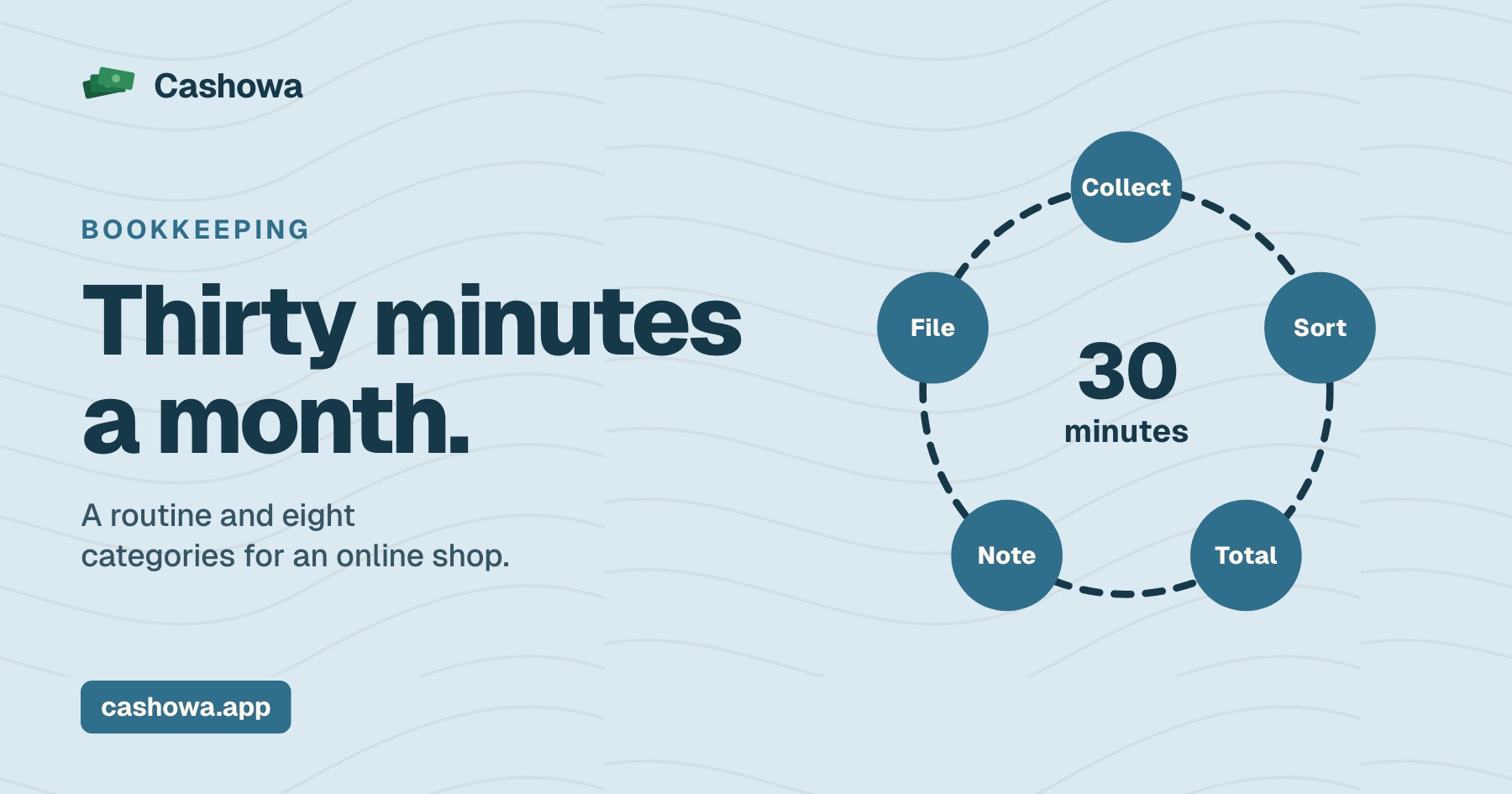
Bookkeeping for online sellers does not need accounting software or a bookkeeper to start. It needs one routine, done every month: collect the statements, sort each line into a category, compare the totals to a limit you set, and write down anything you do not understand. This guide gives that routine, eight categories that line up with the lines on IRS Schedule C, and a way to set a monthly budget for each. It is general information, not tax advice.
Upload a statement and see your categories
See what Cashowa can doWhat the IRS asks of your records
The IRS's page on recordkeeping says you can use any system that clearly shows your income and expenses, and that the law generally does not require a special kind of record. It says records help you track your business, prepare returns and support what you put on them, and that you must be able to prove certain parts of an expense to deduct it. You keep them as long as needed to prove the income or deductions on a return. A spreadsheet or a folder of statements counts, as long as it shows the figures.
Bookkeeping for online sellers: a monthly routine in 30 minutes
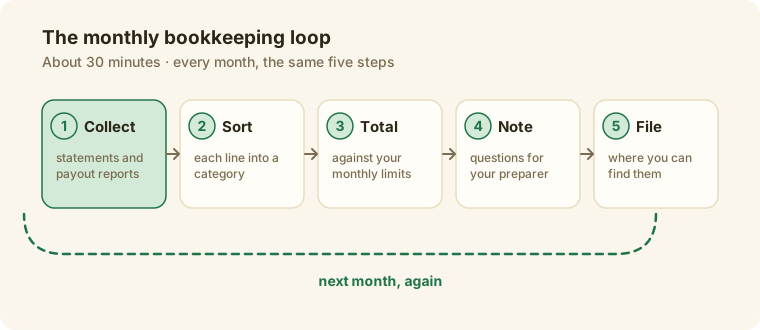
- Collect. Download the month's bank statement, the payout and payment reports from each marketplace (Etsy's page on 1099-K mentions the Etsy Payments CSV, and eBay's Seller Hub has an Orders report and a Payments tab), and your card statement for business purchases.
- Sort. Put each line in one category. Eight are below.
- Total. Add each category and compare it to the limit you set.
- Note. Write down any line you cannot place and any total that surprised you. Those are the questions for your tax preparer.
- File. Save the statements and reports where you can find them, as the IRS page says, for as long as you may need to prove a return.
Keep business and personal spending on separate accounts so step two stays short: mixing business and personal money covers how.
Eight categories for an online shop
Schedule C is the form a sole proprietor uses to report profit or loss. Its 2026 form has an expenses section with a line for each of these, among others, and a separate Cost of Goods Sold part. The table says where each category often lands. Some costs fit more than one place, and the right one depends on the item, so mark those as questions for a tax professional.
| Category | What goes in it | Where it often lands on Schedule C |
|---|---|---|
| Revenue | What buyers paid, as shown in your payout reports | Gross receipts or sales |
| Cost of goods | Materials and inventory you bought to make or resell | Part III, Cost of Goods Sold |
| Marketplace and payment fees | Etsy and eBay fees, card processing | Commissions and fees |
| Advertising | Ads you paid for | Advertising |
| Shipping | Labels and postage | Depends on the item: ask |
| Supplies and packaging | Boxes, tape, tissue, labels | Supplies (not included in Part III) |
| Software and subscriptions | Design tools, accounting software | Often office expense or other expenses: ask |
| Space and utilities | Studio rent, electricity | Rent or lease, and Utilities |
The IRS's instructions for line 10, Instructions for Schedule C, say to enter the total commissions and fees for the tax year, and for line 22 that materials and supplies are generally deductible only to the extent you actually consumed and used them in the year. Those are two reasons to keep cost of goods and supplies apart.
Set a monthly limit for each category
A budget is a limit per category per month. Start from the average of your last three closed months, then adjust: lower a limit where you want to spend less, and raise it where the shop is growing. Group the categories by how the money behaves, because they need different decisions:
- Fixed costs are payable whether or not you sell: rent, software, insurance, utilities.
- Variable costs scale with sales: cost of goods, shipping, advertising, refunds. If they rise faster than revenue, that is the thing to catch.
- Periodic costs arrive quarterly or yearly: taxes, fees, repairs. Set a monthly slice so the bill is already covered.
Compare the month's total to the limit in step three of the routine. A category that is over its limit two months in a row is the one to look at.
Mistakes worth checking for
- Mixing personal and business spending. It doubles the sorting.
- Putting everything in one "expenses" bucket. The IRS form separates cost of goods, fees and advertising.
- Not saving the payout reports. The statement shows what reached the bank, and the report shows the sales behind it.
- Letting two months pile up. The routine takes longer each month you skip.
- Guessing a category. Mark it as a question instead.
Where Cashowa fits
Cashowa does this routine's sorting for you. Import a statement as a CSV, and it sorts each line into a category and shows, on the Cash flow page, what came in, what went out and what was left each month, with revenue, operating costs and your top cost categories for the last 90 days. The Budgets page lets you set a monthly limit per category, and arranges a business's categories in sections: revenue, fixed costs, variable costs and periodic costs. That is the monthly record. The filing is done on your return, with your preparer, and the table above is where they pick up. What Cashowa can do shows each screen.
Frequently asked questions
Do I need accounting software to do bookkeeping for my online shop?
No. The IRS says you can use any system that clearly shows your income and expenses. A spreadsheet and a folder of statements and reports is enough to start.
How often should I do my books?
Monthly is a good rhythm for a shop of any size. The routine above takes about 30 minutes, and it gets longer each month you skip.
What should I keep?
Statements, payout and payment reports from each marketplace, receipts for purchases, and the year's tax forms. The IRS says to keep records as long as needed to prove the income or deductions on a return.
Where does shipping go on Schedule C?
There is no line called shipping on the 2026 Schedule C. Where it goes depends on the item and your situation, so mark it as a question for a tax professional.
The term 'Etsy' is a trademark of Etsy, Inc. This Application uses Etsy's API, but is not endorsed or certified by Etsy. eBay is a trademark of its owner. Cashowa is independent and is not endorsed or certified by it.